


I know you all can relate when I say that sometimes I just want to put some ear plugs in my ears in the classroom.

My students are ELL/ ESL kids and I like giving them TONS of opportunities to talk and discuss topics and events in English. However, sometimes I could really use some silence. I mean seriously they can talk FOREVER. That is unless I ASK them to talk. Then they are as quiet as a mouse.
My students get to chatter most of the time, as they work. I really only ask them to be quiet when I am teaching or another student is talking. So far this works. However, we do have times where I would rather them CONCENTRATE on what they are doing instead of chatter away. During these times I play music. I know this is NOT a new revelation, I am not inventing, nor "re-inventing" anything.
 Back to what I was saying. I know that teachers have been playing music for kids for AGES. I play soft music during writing time, I play fun pop music during clean up time (It makes a great timer) and I play music to get kids moving in general.
Obviously when I first started teaching 10 years ago (yikes) I used CD's and cassette tapes. Yes, cassette tapes, I think I still have a few floating around somewhere.
 However, I have evolved with the times and started playing a lot of my music digitally. That meant that I started doing 2 things. One was uploading CD's to my iTunes library. The second was purchasing kid friendly music on iTunes. At first this was excellent.

These are two of my students faves. They are short so I tend to play them in a loop. Yet, after a while the clutter of music I didn't listen to outside of work started to bug me. We could say I was less than thrilled.
About that time a friend introduced me to Pandora Radio. Which I might add has been a WONDERFUL addition to both my personal and professional life. Personally it saved me so much money because I could now listen to songs that I like but don't want to purchase. Professionally it saved me clutter, money and peace of mind.

I have also used iTunes radio with limited success. It is great in a pinch, BUT doesn't offer me the versatility nor the customizing features that Pandora Radio does. Maybe with time.
With Pandora I can create a Kid friendly station. Right now I just have 1 kids Pop station, that is all I've needed really. I get a variety of music for my students. It plays popular tunes that they love and sing along to. Because it is a kids station I don't have to worry about inappropriate language which has been a wonderful perk. I use it as a timer and play it when I want kids to clean up.
(Seriously though who thought of "reinventing"? You can't "RE-invent". If you invent something new you invented something new. If it is the same product with a twist you modified or improved it. Don't even get me started on "New AND Improved." Is it new or is it improved? Semantics people, they are important.)
 Back to what I was saying. I know that teachers have been playing music for kids for AGES. I play soft music during writing time, I play fun pop music during clean up time (It makes a great timer) and I play music to get kids moving in general.
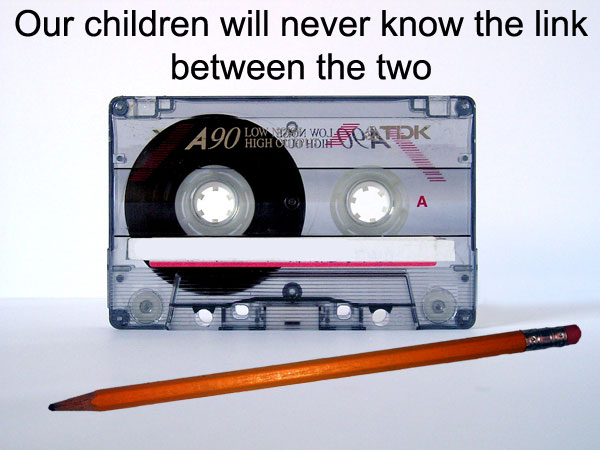
Obviously when I first started teaching 10 years ago (yikes) I used CD's and cassette tapes. Yes, cassette tapes, I think I still have a few floating around somewhere.
These are two of my students faves. They are short so I tend to play them in a loop. Yet, after a while the clutter of music I didn't listen to outside of work started to bug me. We could say I was less than thrilled.
About that time a friend introduced me to Pandora Radio. Which I might add has been a WONDERFUL addition to both my personal and professional life. Personally it saved me so much money because I could now listen to songs that I like but don't want to purchase. Professionally it saved me clutter, money and peace of mind.

I have also used iTunes radio with limited success. It is great in a pinch, BUT doesn't offer me the versatility nor the customizing features that Pandora Radio does. Maybe with time.
I just tell them they have to be done by the end of the song. During writing I play a modern classical music station, but not just any old music will do, I made a Danny Elfman and John Williams station. I tend to get a lot of the Harry Potter or Spiderman soundtrack music.
Sometimes I just play something to get them moving and they do their work standing/ dancing and singing. :)
Sometimes I play the music from my computer, other times from my iPod, or iPad, but the best part is that I get to wirelessly stream it to my projector which has some great speakers. I know they don't all, but I got lucky. Not having cords has been such a wonderful perk.
Hope you are having a great week. I am just about half way through my 11 hour day!


