


HomeAboutFreebies

Tuesday, March 4, 2014

Tech Tuesday: Music in the classroom.

I know you all can relate when I say that sometimes I just want to put some ear plugs in my ears in the classroom. 
My students are ELL/ ESL kids and I like giving them TONS of opportunities to talk and discuss topics and events in English. However, sometimes I could really use some silence. I mean seriously they can talk FOREVER. That is unless I ASK them to talk. Then they are as quiet as a mouse.
My students get to chatter most of the time, as they work. I really only ask them to be quiet when I am teaching or another student is talking. So far this works. However, we do have times where I would rather them CONCENTRATE on what they are doing instead of chatter away. During these times I play music. I know this is NOT a new revelation, I am not inventing, nor "re-inventing" anything.
(Seriously though who thought of "reinventing"? You can't "RE-invent". If you invent something new you invented something new. If it is the same product with a twist you modified or improved it. Don't even get me started on "New AND Improved." Is it new or is it improved? Semantics people, they are important.)
Back to what I was saying. I know that teachers have been playing music for kids for AGES. I play soft music during writing time, I play fun pop music during clean up time (It makes a great timer) and I play music to get kids moving in general.
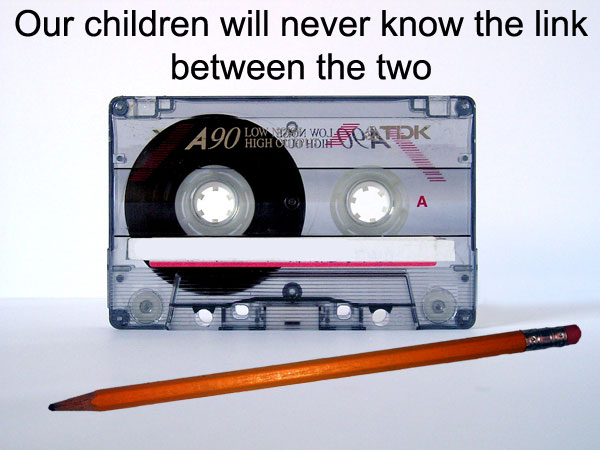
Obviously when I first started teaching 10 years ago (yikes) I used CD's and cassette tapes. Yes, cassette tapes, I think I still have a few floating around somewhere.
However, I have evolved with the times and started playing a lot of my music digitally. That meant that I started doing 2 things. One was uploading CD's to my iTunes library. The second was purchasing kid friendly music on iTunes. At first this was excellent.

These are two of my students faves. They are short so I tend to play them in a loop. Yet, after a while the clutter of music I didn't listen to outside of work started to bug me. We could say I was less than thrilled.
About that time a friend introduced me to Pandora Radio. Which I might add has been a WONDERFUL addition to both my personal and professional life. Personally it saved me so much money because I could now listen to songs that I like but don't want to purchase. Professionally it saved me clutter, money and peace of mind.

I have also used iTunes radio with limited success. It is great in a pinch, BUT doesn't offer me the versatility nor the customizing features that Pandora Radio does. Maybe with time.

With Pandora I can create a Kid friendly station. Right now I just have 1 kids Pop station, that is all I've needed really. I get a variety of music for my students. It plays popular tunes that they love and sing along to. Because it is a kids station I don't have to worry about inappropriate language which has been a wonderful perk. I use it as a timer and play it when I want kids to clean up.
I just tell them they have to be done by the end of the song. During writing I play a modern classical music station, but not just any old music will do, I made a Danny Elfman and John Williams station. I tend to get a lot of the Harry Potter or Spiderman soundtrack music. 
Sometimes I just play something to get them moving and they do their work standing/ dancing and singing. :) 
Sometimes I play the music from my computer, other times from my iPod, or iPad, but the best part is that I get to wirelessly stream it to my projector which has some great speakers. I know they don't all, but I got lucky. Not having cords has been such a wonderful perk. 

Hope you are having a great week. I am just about half way through my 11 hour day!

Tuesday, January 28, 2014

Technology (Tech) Tuesday: Wireless Streaming

It is amazing how a week can fly by. I missed posting my lesson plans for the week. Sorry about that. I thought of posting them today BUT I have been wanting to post about my Apple Tv and iPad mini set up for weeks!

This year I have been so lucky. My schools Technology Integrationist came to me and asked if I would be willing to pilot a wireless streaming system in my classroom. At first I was really very excited. Then I realized I would have to give up my trusty Doc Cam and panicked just a little bit. I mean how would I project all the work my kids do and demonstrate for my ELL kids?

This is what my set up used to look like.
I really did rely on my doc cam to demonstrate a lot. However, it was't always my best friend. Sometimes I struggled to get the whole image on the screen. Also adjusting the camera arm was never fun, or quick. BUT, it worked and I loved it.

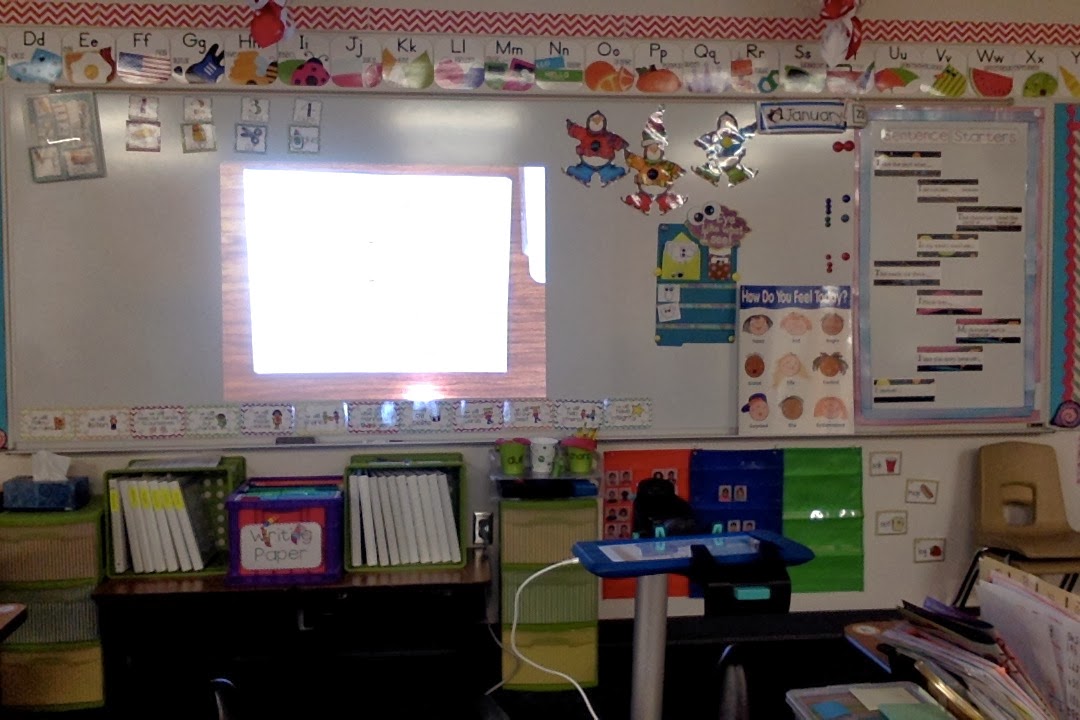
Then came the day this baby came into my room. The whole set up includes an HD projector,  iPad mini, Apple TV and stand. At first this huge stand was a bit of an eyesore to me. It was big and clunky and I felt would dominate my table. I stayed open to the possibilities because I REALLY wanted the iPad mini in my room. The most expensive piece was the HD projector.
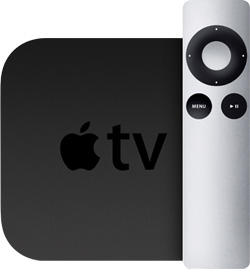
It was my first experience with an Apple tv. To be honest I had no clue what they did before I got one. Now though I LOVE it.
 What is the difference?
So here is the big deal I can basically stream anything, my iPad mini, my computer, even my iPhone wirelessly.
I can use the iPad camera to show images like before. PLUS now I can use all my educational apps too! Also I can capture video of my demonstrations and play them back for the students who are visual learners and need to see something more than once.

Please excuse the mess, the picture doesn't translate well on camera because of the glare, but as you can see we were working on a letter Bb crown. Side note... can you all see how many other blogger products I currently have up in my room!?! 
This is just the simple projection using the camera app.
It is hard to keep those little fingers out from under the camera. It is so tempting.

My favorite part is taking the pad, launching an app and passing it around the room having students work on the device independently. Here they are practicing their names.


 They were so excited that day. they took turns, and were polite to one another. One of the rules is, if you are not kind, or careful with the iPad, you don't get to use it for the day. So they really do take care to not lose that privilege.

I have to admit one of my favorite things to do is take a picture of the assignment and draw or write directly on the ipad. It saves me extra copies and I am able to take pictures of each stage of the assignment. When I have to go back to show an example I have it right there in my cameral roll.

All of this is possible because of the Apple TV. 
I know the iPad mini gets most of the glory BUT, were it not for the Apple TV I could not stream wirelessly. I love plugging my laptop in at my table in the back of the room, but still being able to stream educational You Tube videos across the room. 

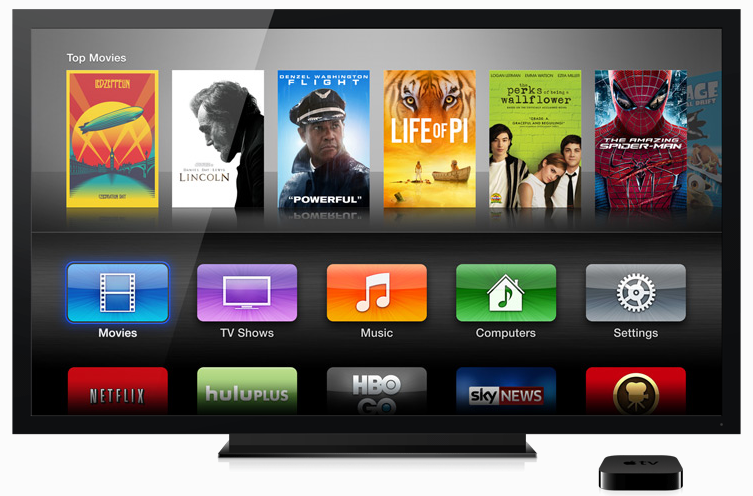
This is what the interface looks like.
You could use the apps and what not but I basically just hit Air Play on my device.
We have multiple Apple tv's in my school so I have to choose my classrooms device.
I turn on mirroring and type in a access code. Then I am in!

As for that big arm stand... it turns out that it is pretty cool too. It is not a clunky as I thought it would be. It has several adjustable, fixed positions, but is pretty versatile. It also has a USB and outlet plug on the stand itself so I can charge the devices while using it.

I am pretty happy with it, and so are the other teachers I work with that are also piloting the Apple TV. If you get the chance to try it I highly recommend it. Feel free to ask any question you may have. I also plan to come back and talk about several other things I do with it.

Friday, May 31, 2013

Teachers Talking Tech: Stick Pick App

It has now officially been one week that I have been on summer break. Yet, with the exception of the long weekend, I have not yet had a day off.

As I was sitting in my 2nd professional development of the week yesterday,  I noticed the instructor using a pretty cool app on her iPad. It got my attention so much that I had to raise my hand and ask what it was. This app is for the teacher and it is something I do every year for my classes.

Curious yet?
the app is called Pick Sticks and basically it takes the place of my "question stick" can.
From this to................................................................................this.

 Ok it is not as cute but there are so many additional, fabulous features that I think I can live without the cute factor.

First thing you do is create your class, and class roster.
Once you type in your student name you will have an option to decide what kind of questioning for that student. I love that it has Higher level questioning, ELL questioning or none.
 
It goes even deeper because you get to differentiate within that type of questioning too. 
Once your class is done you will get a can with sticks. To choose a stick, you can tap, swipe or shake the can. 
Then you see this! The student name, several options of questioning prompts, and you also get the option to reset the stick in the can or make it used.
It is like magic!

 I have multiple grades and classes within those grades and I am loving that I will not have to keep track of those stick, just toggle between the classes I the app. On the same note, when a student leaves or a new student joins my class all I have to do is add them to my roster. Less than 5 minutes, can't beat that!

I mean there is so much you can do with this app, I haven't even scratched the surface. Here is part of the write up...
Pick a student at random just by giving your device a shake or tapping the screen -- but that’s just the beginning. Stick Pick suggests question starters for learners at different levels and also records how well students respond during classroom discussions. If a student is consistently scoring near the top or bottom, simply change the level so students aren't bored or frustrated. Depending on students' levels of English proficiency, they might be asked simple yes-or-no questions or to elaborate in longer sentences.
-----------------------------------------------
DIFFERENTIATE INSTRUCTION
-----------------------------------------------
Stick Pick is the first app of its kind to uniquely link question stems to the cognitive or linguistic needs of each individual learner. Teachers can have multiple soup cans (classes) filled with sticks (students). During setup, teachers choose a category of question stems they wish to focus on for each learner. Questions can be based on Bloom's Taxonomy, English as a second language skills, and degree of difficulty can be chosen for each learner.
-----------------------------------------------
TRACK FORMATIVE ASSESSMENT
-----------------------------------------------
Formative assessment is easy to track because teachers can tap a corresponding correct, incorrect, or opinion button based on the student's answer. Teachers can also rate each student's answer by selecting 0-5 on a critical thinking rubric (Bloom's) or an elaboration rubric (for English as a second language).
 And soooo much more. 
Can't wait to get it all set up for my classes.

I am linking up with Miss. Eager and Teachers Talking Tech.
Click below to link up.

Tuesday, April 16, 2013

Smart Apps for Kids

For those of you looking for app's, to use in the classroom. And by look for I mean want inexpensive/ FREE app's...

Recently our Technology Integration Specialist introduced me to this wonderful website...

This website offers several of those same great apps you love for free or at a discounted price. They change daily, or frequently so you can easily get many great apps for FREE.

Next year our district is adopting the McGraw Hill so today we took advantage and downloaded these series aligned apps.

The catch is that the apps change daily and they don't stay free for long. Most of the time for just a day. However, if you took 5 minutes each day to check the site I have no doubt you will have a TON of free great apps to aid in your classroom instruction.

While poking around I also found a great geo board app to use during math.


Here is a write up of the 3 apps I downloaded.

No iPad, iTouch, or iPhone? No worries, these can be downloaded to your computers too. So stop stalling and go check out...


Thursday, November 15, 2012

Edmodo

Welcome back to...
Today's resource is...
Haven't heard of it? I didn't know until a fellow ELL teacher started using it with her kids and shared. It is just like Facebook, but safe, secured and private. Take a look.

So you make you class and sign up your kids and your ready to go! This teacher is using it to ask questions about a novel she is reading with her kids. Although if you notice at this point the kids are greeting each other. LOL, it happens.

Another teacher is using it for Micro Blogging.  I guess the possibilities are endless. You and your kids can access it from home so homework can be assigned through this form. You could also do homework help in this form.

So what do you think? Interested? Any questions?